
Clevaa for Chrome
Stuck on a page? Clevaa explains it beside you.
Select the sentence that lost you and press Clevaa. A session opens in Chrome’s side panel, built around that sentence: pictures, a narrated line, a question at each step, at your pace. The page stays where it is, and each sentence lights up on it as it is taught.
First, pin the button
New extensions wait in Chrome’s puzzle-piece menu, at the right of the address bar. Open it and press the pin beside Clevaa, so the button is always one press away.
The shortcut is Alt+Shift+C. You can also right-click a selection and choose “Explain with Clevaa”, or right-click a page and choose “Learn this page with Clevaa”.
Then try it on a guide
Open one of our guides, select a sentence, and press Clevaa. The first time, Clevaa asks before it reads anything. Then press Explain in pictures, or Later to keep the page in your Library for another day.
 EVERYDAY SCIENCE · WATER
Why does ice float on water?
Water is one of very few substances whose solid is lighter than its liquid. Freezing locks the molecules into open six-sided rings, so ice takes about 9% more room. Why pipes burst and lakes freeze from the top.
Explore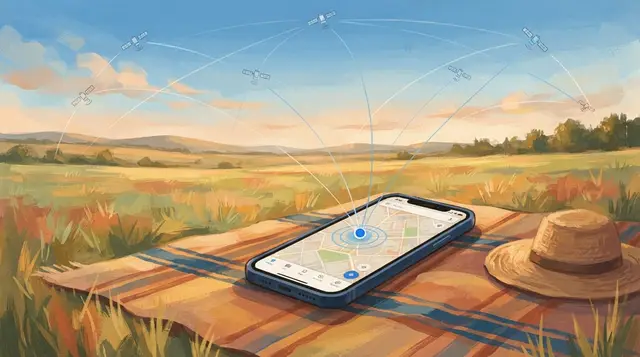 EVERYDAY TECHNOLOGY · NAVIGATION
How does GPS know where you are?
Satellites broadcast the time; your phone measures how late each signal arrives and turns the delays into a position. Why four satellites, why cities confuse it, and where relativity comes in.
Explore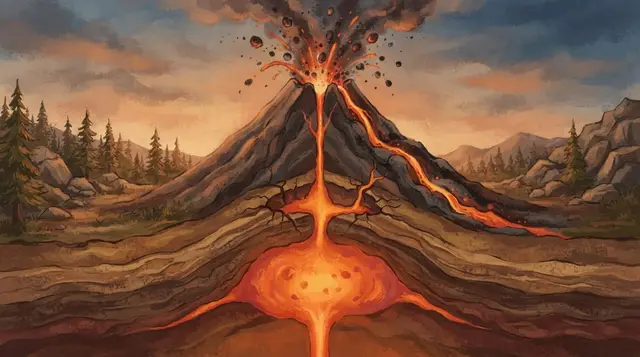 EVERYDAY SCIENCE · EARTH
Why do volcanoes erupt?
Magma rises because it is lighter than the rock around it; as pressure falls, dissolved gas comes out as bubbles and drives the eruption. Why some volcanoes ooze and others explode, and what warns us first.
ExploreWhat it reads, and when
Only when you press Clevaa, and only the page you press it on: its text and what you selected. Nothing is read in the background, and nothing is added to the page but the highlight. The privacy page says where it goes and how to remove it.
TAKE THE NEXT QUESTION WITH YOU
What would you like to understand?
Start with your own question. Follow it with another.
Open Clevaa ↗You choose when to start. Session availability and usage limits may apply.