
Clevaa for schools
A patient tutor for every student. A clear view for every teacher.
Students ask about any topic in their own words, by voice or typing, in eleven languages. Clevaa explains out loud with pictures, answers their follow-up questions, then asks them to explain the idea back. Each week you see what your class asked and who could explain it.
Free for one class, four weeksNo student email, a username and a PIN11 languagesAny browser, laptop or phone
What your students get
The help a student needs after the lesson, when the teacher has thirty others.

A second explanation, any time
Simpler, slower, with another example or in their home language. They can ask “why?” ten times without holding up the class.
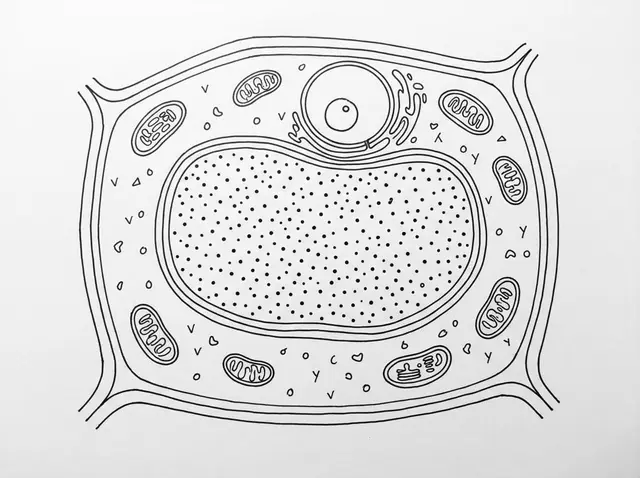
They see it
A picture fills the screen and its labels land as the tutor names each part. A process becomes a diagram; a sum goes on a board.
- In your own words
You let water into the tanks to get heavier and sink. Then you blow compressed air in…
Seawater floods the tanksAir blows the water outWeight against the water pushed asideThey explain it back
Every lesson ends with the student saying the idea in their own words. The tutor ticks what they got and names what is missing.
Why the explain-back: in a Harvard physics course, an AI tutor built to guide rather than tell beat an active-learning class on the test (2025). In Turkey, 1,000 high-school students given a helper that handed over answers scored lower on their exam, while believing they had learned as much (2025). Clevaa is built to make students explain.
Read the source: Kestin et al., 2025 · Bastani et al., 2025, via Wharton
What you see as a teacher
One page a week for each class: what they asked, who took a lesson, how many explained most ideas back, and every lesson with its pictures. Once a week has enough lessons, a short note names the idea most of them missed and one thing you could do.
Class 9 A · 4–10 NovExample class
41lessons this week23 of 28students took a lesson64%explained most ideas back310 minused this month
What Clevaa noticedMost of 9 A asked about the water cycle. 11 of 17 explained evaporation, but only 4 said what makes rain fall. A two-minute demo with a cold glass could close that gap.
What they asked
Latest lessons
 Aditi S. · Why the sea is saltyTue · 8 minexplained 3 of 3
- Leo P. · TidesTue · 6 minexplained 1 of 3
 Maya C. · How clouds formMon · 11 minexplained 2 of 2
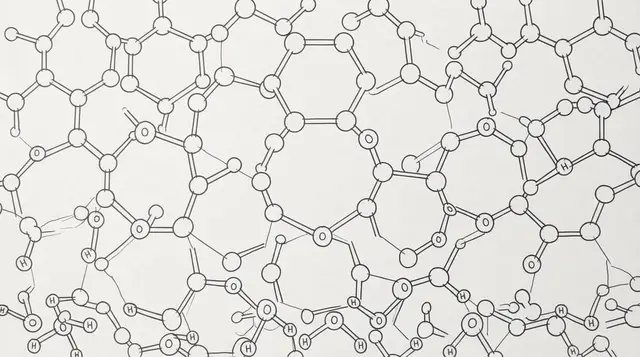 Sam O. · The water cycleMon · 4 minleft early
A class starts in three steps
Paste your class list
Sign in, open clevaa.ai/school and name your school. Paste names with a class, one per line: each student gets a username and a six-digit PIN on a card you print.
Tell us, and hand out the cards
Write to us with the form below and we turn on lessons for your class. Students sign in at clevaa.ai/s/your-school on a laptop or phone, in class or at home.
Read the week
What each class asked and who explained it back. Open any lesson to see its pictures, the questions asked and the explain-back.
You choose how it teaches
Pick a style for the school or for each class, and preview the opening before students see it. Name your syllabus, and the tutor answers anything else briefly and comes back.
Classic
A direct answer, the mechanism step by step, then a question on the key idea.
Storyteller
One story with a character and a turning point; each cause leads to the next.
Guide
Students predict first, and each explanation answers their guess.
Your school’s own
Describe your learners and how you teach. Clevaa writes it up as a way the tutor follows, for you to preview.
Safe by design
No student email
A name, a class and a PIN. Never a phone number or a date of birth.
Teachers see every lesson
Students are told so on their home page.
Never sold, no ads
And no AI model is trained on your students’ lessons.
No microphone audio kept
Only the tutor’s voice is recorded, so a lesson can be replayed.
GDPR, COPPA, FERPA and the DPDP Act
The privacy page covers each, and we send a one-page data note to any school that asks.
Deleted when you stop
Your students and their lessons, within 30 days of your request.
Clevaa is AI and can be wrong. Its feedback on an explain-back is a starting point for you, not a grade, and it does not replace your judgement or a formal assessment.
Questions schools ask
Which subjects does it teach?
Anything that can be explained and drawn: science, geography, history, economics, computing and how things work. It also teaches from your own pages: a PDF chapter, slides or a photo of a page.
What does a classroom need?
A browser on a laptop, tablet or phone. In a shared room, headphones with a microphone. Students can type instead of speaking.
Can it stay within our syllabus?
Yes. Name your syllabus under Teaching, for example “IGCSE Biology”. The tutor answers anything else briefly and comes back.
How many lessons can a student take?
Your school sets the number of lessons a student can take each day, from 1 to 20, within the monthly minutes Clevaa sets for your school.
What does it cost?
One class for four weeks is free while we are early. Nothing is charged without a price you have agreed to.
Is it accurate?
Mostly, and not always. The explain-back catches what a student got wrong, and you can open any lesson to see what the tutor said and drew.
What do parents need to know?
A student signs in with the card from school, not an email address. Their teachers can see the lessons they take, and the school looks after their name and PIN. We never keep microphone audio, and the privacy page says exactly what a lesson records and who processes it.
Start a free class pilot
Tell us about your class and what you would like to try, or write to hello@clevaa.ai.
- We reply from hello@clevaa.ai and agree which class and when.
- We set up your school with you and turn on lessons for your class.
- You hand out the cards. Students sign in at school or at home.
TAKE THE NEXT QUESTION WITH YOU
What would you like to understand?
Start with your own question. Follow it with another.
Ask something you’ve always wondered ↗You choose when to start. Session availability and usage limits may apply.