
A CONVERSATION WITH YOUR CURIOSITY
Ask it the way you would ask a person.
Clevaa is a voice AI tutor for exploring science, technology and everyday ideas. Speak your question, hear an explanation, and ask the next question while pictures give the conversation context.
You do not need a perfectly written prompt
Start with the thing that puzzles you: “How can headphones make the outside world quieter?” Then follow what you hear. You might ask what a sound wave is, why a steady hum is easier to reduce, or whether the headphones need music to work.
A voice conversation lets your next question be small. “What does that mean?” and “Can you give me an example?” are useful ways to locate a gap in an explanation. Naming the part you mean makes the question clearer.
Keep a visual reference while you listen
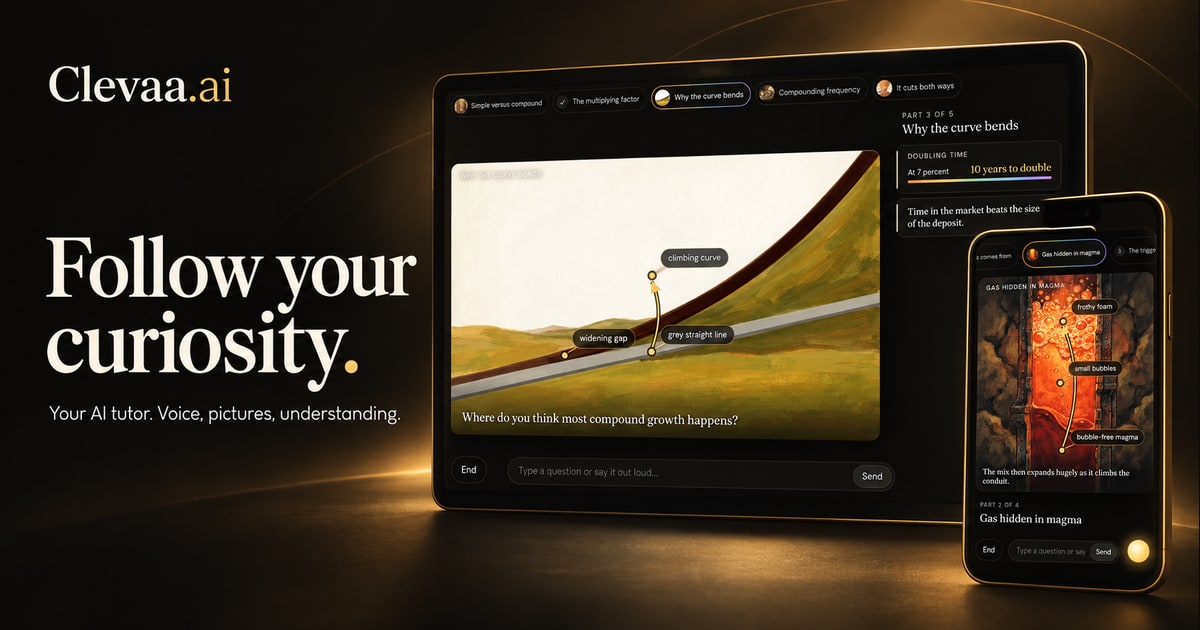
Clevaa combines spoken explanations with illustrations and diagrams. The picture can keep the object or process in view while the tutor talks about it. You can switch to typed input for a term that is hard to pronounce or a question you want to phrase carefully.
Captions provide a readable history of what you and the tutor said. Select a tutor caption to compose a question about it; the app waits for you to send that question.
Make room for thinking
You can mute your microphone and keep using typed input. Ask for a simpler explanation when an idea is moving too quickly, or ask for more detail when you want the mechanism underneath an analogy.
A useful way to finish is to say the idea back in your own words. Instead of asking only “Did I get it?”, explain what causes what and ask the tutor to check that reasoning. AI feedback is a learning aid and can itself be mistaken.
Get ready for the conversation
This is an interactive AI session, so connection time and response time can vary. You do not need to create an account, and session availability and usage limits may apply.
- Use a browser with audio playback and a microphone if you want to speak.
- Allow microphone access when the browser asks, or use the question box instead.
- Headphones can make it easier to hear the tutor and reduce speaker sound reaching the microphone.
- Choose an explanation level, ask one question, and give the connection a moment to establish.
TAKE THE NEXT QUESTION WITH YOU
What would you like to understand?
Start with your own question. Follow it with another.
Try asking out loud ↗You choose when to start. Session availability and usage limits may apply.